In today’s competitive business environment, managing customer inquiries efficiently is essential for improving sales performance and building lasting relationships. Businesses often receive leads from multiple channels, including websites, social media, email campaigns, and paid advertisements. Without a structured process, valuable opportunities can be missed. This is where Lead Managment CRM solutions play an important role.
A well-integrated lead management system helps businesses collect, organize, track, and nurture leads while keeping customer information centralized. By connecting lead management tools with popular CRM platforms, organizations can improve team collaboration, reduce manual work, and ensure every potential customer receives timely attention.
Understanding Lead Management CRM
A Lead Managment CRM combines customer relationship management capabilities with lead tracking and nurturing features. Instead of storing customer information in separate systems, businesses can manage every stage of the sales pipeline from a single platform.
Whether a lead comes from a website form, landing page, phone inquiry, or marketing campaign, a crm for lead management ensures that all information is automatically recorded and assigned to the appropriate sales representative.
This integration allows sales and marketing teams to work with accurate, real-time data while reducing the chances of duplicate records or lost leads.
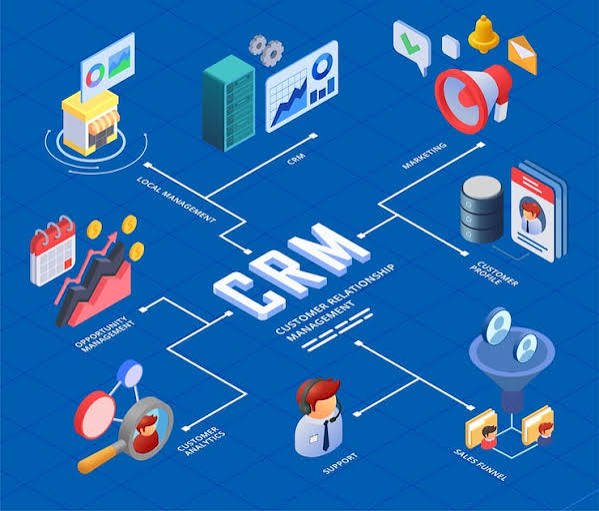
Why Integrate Lead Management Tools with CRM Platforms?
Many organizations use multiple software applications for marketing, communication, and customer support. Without integration, employees often spend valuable time manually transferring data between systems.
Integrating lead management and crm platforms offers several important advantages:
- Automatic lead capture from multiple channels
- Faster lead assignment to sales teams
- Improved customer data accuracy
- Better communication between departments
- Reduced manual data entry
- Enhanced reporting and sales forecasting
These benefits help businesses respond to inquiries more quickly while maintaining a consistent customer experience.
Steps to Integrate Lead Management Tools with CRM Platforms
1. Identify Your Lead Sources
Before integration begins, businesses should identify where their leads originate. Common lead sources include:
- Website contact forms
- Landing pages
- Social media campaigns
- Email marketing
- Live chat
- Phone calls
- Third-party lead generation platforms
A Lead Managment CRM becomes more effective when every lead source is connected to a centralized database.
2. Choose Compatible CRM Software
Not every CRM platform supports the same integrations. Selecting a lead management crm software that offers APIs, automation tools, and third-party app compatibility simplifies the integration process.
Popular CRM systems often support integrations with marketing automation tools, email platforms, customer support software, and communication applications.
3. Use APIs and Integration Platforms
Most modern CRM platforms provide APIs that allow different software applications to exchange data automatically.
Businesses can also use integration platforms to connect applications without extensive coding. These tools help synchronize customer information, automate workflows, and eliminate repetitive manual tasks.
A properly configured crm for lead management ensures that new leads are instantly available to sales representatives.
4. Automate Lead Assignment
Automation is one of the biggest advantages of integrating lead management and crm systems.
Instead of assigning leads manually, businesses can create rules based on:
- Geographic location
- Product interest
- Industry
- Company size
- Sales representative availability
Automatic lead distribution improves response times and ensures balanced workloads across the sales team.
5. Synchronize Customer Data
Data synchronization keeps information consistent across every connected application.
For example, when customer information changes in the CRM, the updated details should also appear in email marketing tools, customer support systems, and communication platforms.
A reliable Lead Managment CRM reduces duplicate records and helps maintain accurate customer profiles.
Best Practices for Successful CRM Integration
Successful integration requires more than simply connecting two software systems. Businesses should follow these best practices:
Clean Existing Data
Before importing records, remove duplicate entries and outdated information. Clean data improves reporting accuracy and helps sales teams work more efficiently.
Standardize Data Fields
Use consistent field names across all applications. Matching data fields simplifies synchronization and minimizes errors during integration.
Test the Integration
Run several test scenarios before launching the system organization-wide. Verify that leads are captured correctly, assigned automatically, and updated across every connected platform.
Train Your Team
Even the best lead management crm software delivers limited value if employees do not understand how to use it effectively. Provide training sessions so users understand automated workflows and CRM features.
Monitor Performance
Regularly review reports to ensure integrations continue working as expected. Monitoring system performance helps identify issues before they affect customer interactions.
Common Integration Challenges
Although CRM integration offers numerous benefits, businesses may encounter several challenges during implementation.
Duplicate Records
Improper synchronization settings may create duplicate customer profiles. Regular database maintenance helps prevent this issue.
Data Mapping Errors
If data fields do not match correctly between applications, important customer information may not transfer accurately.
User Adoption
Some employees may continue using manual processes instead of the integrated system. Ongoing training and clear workflows encourage adoption.
Security and Compliance
Businesses should ensure customer information remains secure throughout the integration process by following data protection policies and implementing proper access controls.
Measuring Integration Success
Once your Lead Managment CRM is fully integrated, measuring performance becomes essential.
Key metrics include:
- Lead response time
- Lead conversion rate
- Sales pipeline progression
- Number of qualified leads
- Customer retention
- Sales team productivity
Monitoring these indicators helps businesses understand whether their crm for lead management is improving operational efficiency and customer engagement.
Conclusion
Integrating lead management tools with CRM platforms helps businesses streamline sales processes, improve customer communication, and manage leads more efficiently. By connecting lead sources, automating workflows, synchronizing customer data, and monitoring performance, organizations can build a more effective sales pipeline while reducing administrative work.
A well-planned Lead Managment CRM strategy supports better collaboration between sales and marketing teams, improves lead tracking, and enables faster decision-making. As businesses continue adopting digital tools, investing time in effective lead management and crm integration becomes an essential step toward long-term growth. Choosing the right lead management crm software and implementing best practices ensures businesses can manage customer relationships efficiently while maximizing every sales opportunity.