Project name: Sensationcrm.com
What a CRM is:
A CRM (Customer Relationship Management) is software that helps businesses store and organize all their customer information — contact details, past conversations, purchase history, and more — in one central place, instead of scattered across spreadsheets, emails, or sticky notes.
Why businesses need CRM software:
As a business grows, keeping track of every customer conversation and follow-up manually becomes impossible. A CRM saves time by automating repetitive tasks, prevents leads from slipping through the cracks, and gives every team member instant access to a customer’s full history — leading to faster responses, better service, and stronger long-term relationships.
What readers will learn:
In this post, readers will learn what CRM software actually does, how it benefits small businesses and startups, what to look for in a CRM (whether for sales, support, or marketing), and how top platforms like Salesforce, HubSpot, Zoho, and Pipedrive compare — so they can confidently choose the right CRM for their team.
What is Customer Relationship Management (CRM) Software?
CRM Meaning
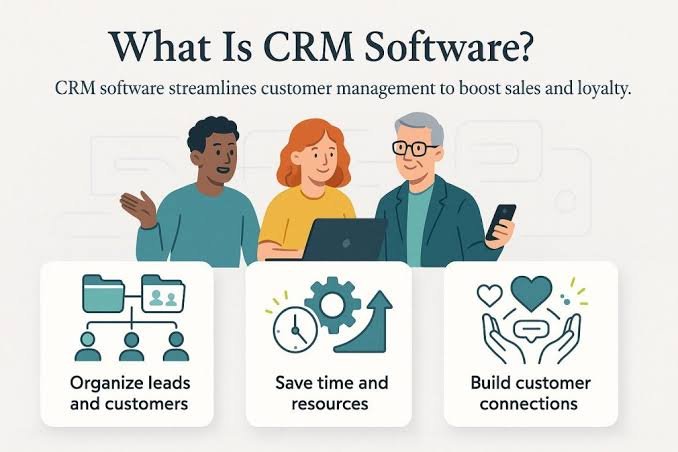
CRM stands for Customer Relationship Management. It refers to both the strategy and the software businesses use to manage interactions with current and potential customers throughout their entire relationship with the company.
Purpose
The main purpose of a CRM is to help businesses build stronger, longer-lasting relationships with customers by keeping all customer information organized, accessible, and up to date. It reduces manual work, improves communication between teams, and helps businesses make smarter decisions based on real customer data.
Customer Data Management
CRMs store all customer-related information, such as contact details, past purchases, email history, and support tickets, in one centralized system. This means anyone on the team can pull up a complete customer profile instantly, without digging through emails or spreadsheets.
Lead Tracking
CRMs help sales teams track leads from the moment they enter the pipeline until they become paying customers. This includes recording where the lead came from, what stage they’re at, and what follow-up actions are needed, so no potential customer is forgotten or left unattended.
Sales Automation
Sales automation features handle repetitive tasks like sending follow-up emails, updating deal stages, setting reminders, and generating sales reports. This frees up sales reps to focus on actually closing deals instead of manual admin work.
Marketing Automation
Marketing automation within a CRM allows businesses to send targeted emails, run drip campaigns, and score leads based on their engagement, all automatically. This helps marketing teams nurture leads at scale without manually managing every single interaction.
Customer Support
CRMs improve customer support by giving support agents a full view of a customer’s history, including past issues, purchases, and conversations. This means faster, more personalized responses, since agents don’t have to ask customers to repeat information they’ve already shared.
How Do CRM Systems Benefit Small Businesses?
- Better customer relationships
- Organized customer data
- Faster sales process
- Improved customer support
- Marketing automation
- Increased revenue
- Better reporting
Best CRM Solutions for Small Businesses
| CRM | best for | free plan | mobile app | cloud |
| hubspot | startups | ✔ | ✔ | ✔ |
| zoho crm | small business | ✔ | ✔ | ✔ |
| sales force | large growth | ✘ | ✔ | ✔ |
| pipedrive | sales teams | ✘ | ✔ | ✔ |
Best Cloud-Based CRM Solutions for Startups:
Here’s the explanation, with those four platforms worked in naturally:
Cloud CRM
A cloud CRM is customer relationship management software that runs entirely online, hosted on the provider’s servers, rather than being installed on a company’s own computers or local servers. Businesses access it through a web browser or mobile app, which means there’s no need for expensive hardware or in-house IT maintenance to keep it running.
Benefits
Cloud CRMs are quick to set up, accessible from anywhere with an internet connection, and update automatically with new features and security patches. They also scale easily as a business grows, so companies can add more users or features without needing to overhaul their entire system. This makes them especially cost-effective for small businesses and startups that don’t have dedicated IT teams.
Examples
Some of the most popular cloud-based CRM platforms include HubSpot, known for its beginner-friendly interface and generous free plan, making it a favorite among startups. Zoho CRM offers a strong balance of affordability and features, ideal for growing businesses. Freshsales stands out for its built-in AI-powered lead scoring and clean, simple design. Salesforce, one of the most established names in the CRM space, offers deep customization and powerful automation, though it tends to suit larger teams with more complex needs and bigger budgets.
Top CRM Software for Sales Teams:
Recommend:
- Salesforce
- HubSpot
- Pipedrive
- Zoho CRM
- Freshsales
FAQ Section
- What is CRM software?
- CRM (Customer Relationship Management) software is a tool that helps businesses organize and manage interactions with customers and leads. It stores contact details, purchase history, and communication logs in one place, allowing sales, marketing, and support teams to track relationships, follow up efficiently, and deliver better, more personalized customer experiences. (52 words)
- Which CRM is best for small businesses?
- For small businesses, HubSpot CRM and Zoho CRM are popular choices thanks to their affordability, ease of setup, and strong free or low-cost plans. The best option ultimately depends on whether the business needs more sales tracking, marketing tools, or customer support features.
- Is there a free CRM?
- Yes, several CRMs offer free plans, with HubSpot CRM being one of the most popular options. Its free tier includes contact management, email tracking, and basic pipeline tools, making it a solid starting point for small businesses and startups before they need to upgrade to paid features.
- Which CRM is best for startups?
- Cloud-based CRMs like HubSpot, Zoho CRM, and Freshsales are well-suited for startups since they require no complex setup, offer flexible pricing, and scale easily as the business grows, without needing upfront investment in hardware or IT infrastructure.
- Which CRM has the best mobile app?
- HubSpot, Salesforce, Zoho CRM, and Pipedrive all offer strong mobile apps that let sales and support teams access customer data, log calls, and update deals on the go, making them reliable choices for teams that need real-time access outside the office.
- How does CRM improve customer support?
- CRM software improves customer support by giving agents instant access to a customer’s complete history, including past purchases, conversations, and support tickets. This allows for faster, more personalized responses since customers don’t have to repeat information they’ve already provided.
Conclusion
Choosing the right CRM isn’t just about picking a popular name — it’s about matching the software to what your business actually needs, whether that’s better lead tracking, smoother sales automation, stronger marketing campaigns, or faster customer support. Cloud-based options like HubSpot, Zoho, Freshsales, and Salesforce each bring their own strengths to the table, making it easier than ever for businesses of every size to find a CRM that fits their budget and workflow. At the end of the day, a good CRM does more than store customer data — it helps build the kind of relationships that keep customers coming back, which is what ultimately drives long-term business growth.
Leave a Reply